A clearer way to use Chattanooga’s sewer portal
Chatt Sewer UI gives Chattanooga’s existing sewer-payment portal a cleaner, easier-to-navigate interface, with clearer account information, simpler forms, and everyday actions that are easier to find.
 Add to Chrome
Free · Desktop Chrome · Chattanooga sewer accounts only · Unofficial
What’s easier
- A cleaner interface. Easier-to-scan headings, spacing, and layouts, with styling closer to Chattanooga’s main city website.
- Clearer account access. Consistent forms, buttons, and messages across supported login, registration, guest-payment, and password-recovery pages.
- A simpler dashboard. Account status, balance, amount due, and Pay Now take priority.
- Easier account switching. A dedicated sidebar shows the selected account and account statuses.
- Better-organized information. Account details, statements, messages, and preferences each have their own sections.
- Clearer payment forms. Consistent dialogs and action buttons make it easier to see what’s due and how much you’re paying.
- Water usage that’s easier to understand. Improved charts and a table view offer two ways to read consumption data.
- Help within reach. Clickable contact details where appropriate, built-in extension troubleshooting and help returning to the original portal, and directions to the official portal or Chattanooga 311 for account, billing, payment, and utility-service concerns.
Available information and options depend on your account.
See the difference
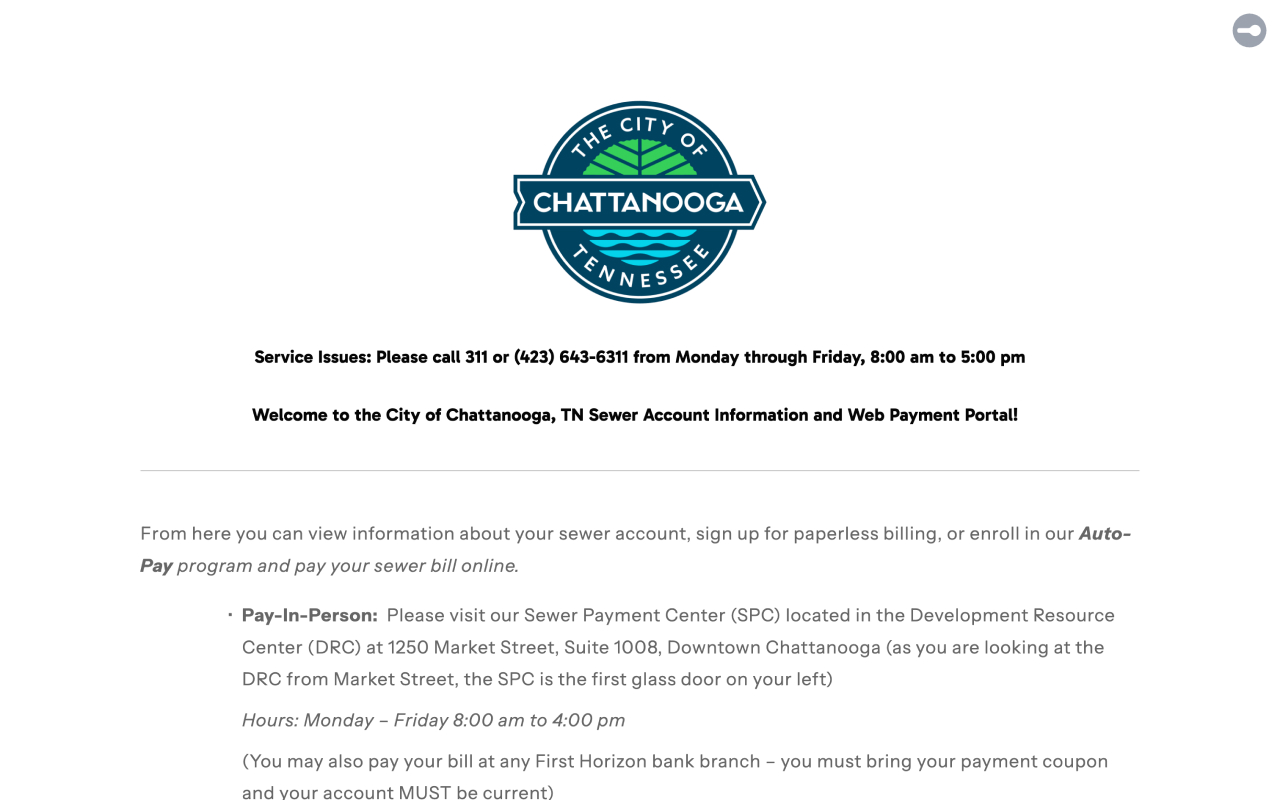
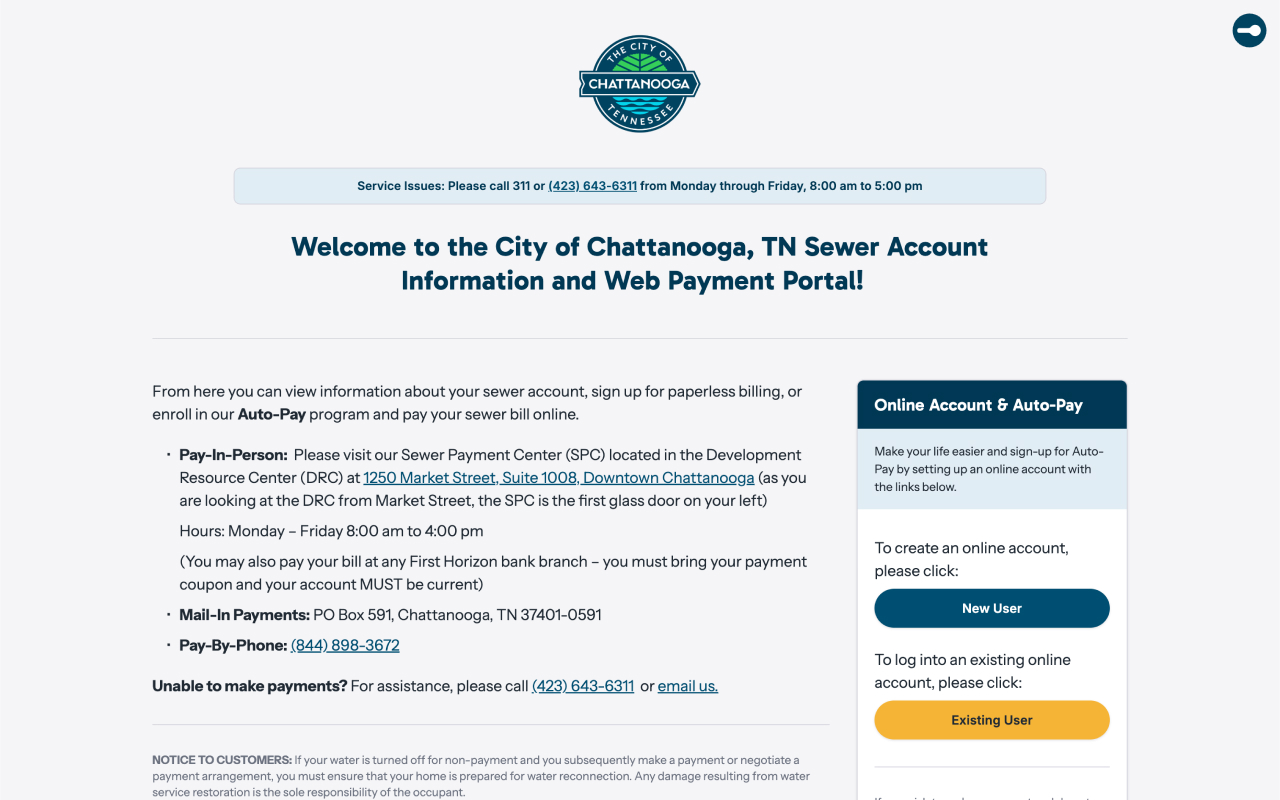
Landing page
Before: Dense content and oversized branding push key actions down the page. Login, account creation, and contact details are less prominent.
After: Login and account creation appear above the fold. Clearer headings, balanced branding, and spacing emphasize service notices and actions, with clickable phone numbers and relevant addresses.
Login and account access
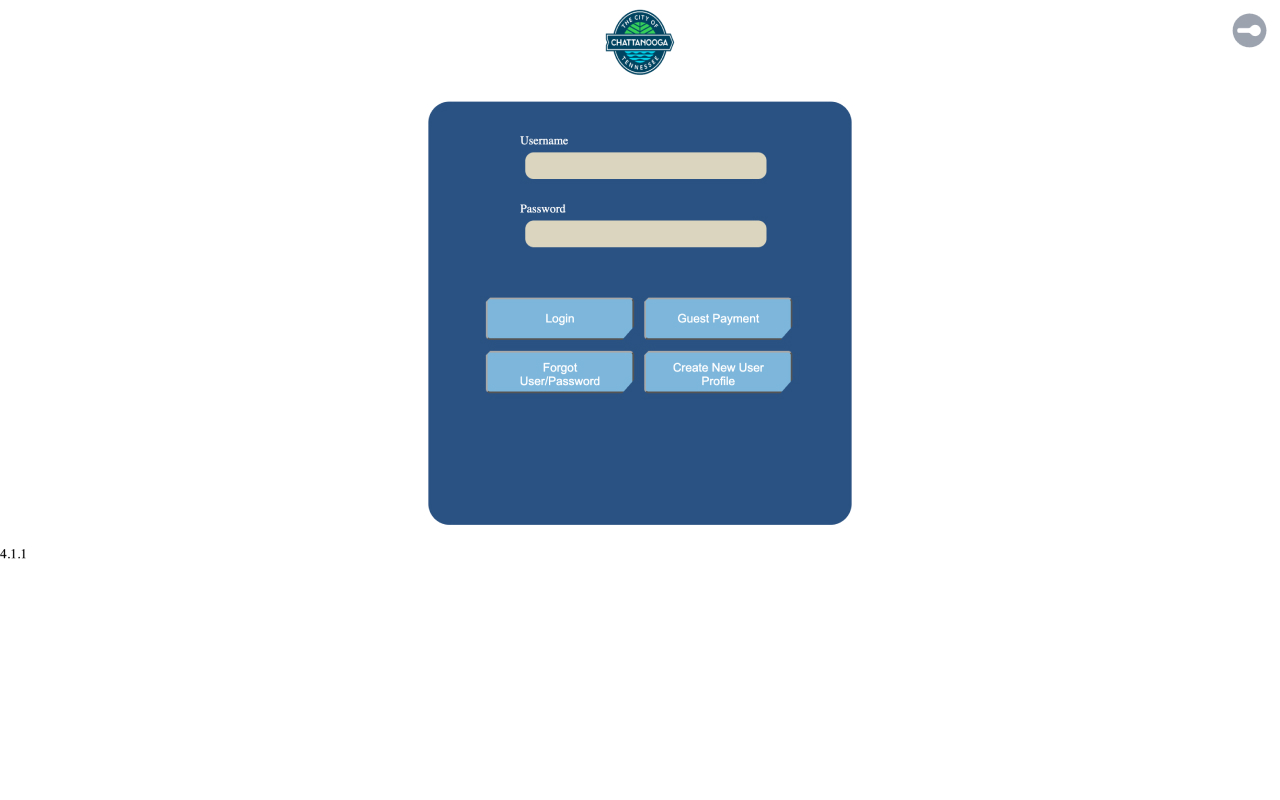
Before: Branding, spacing, and form controls vary across account-access pages, and primary and supporting actions are harder to distinguish.
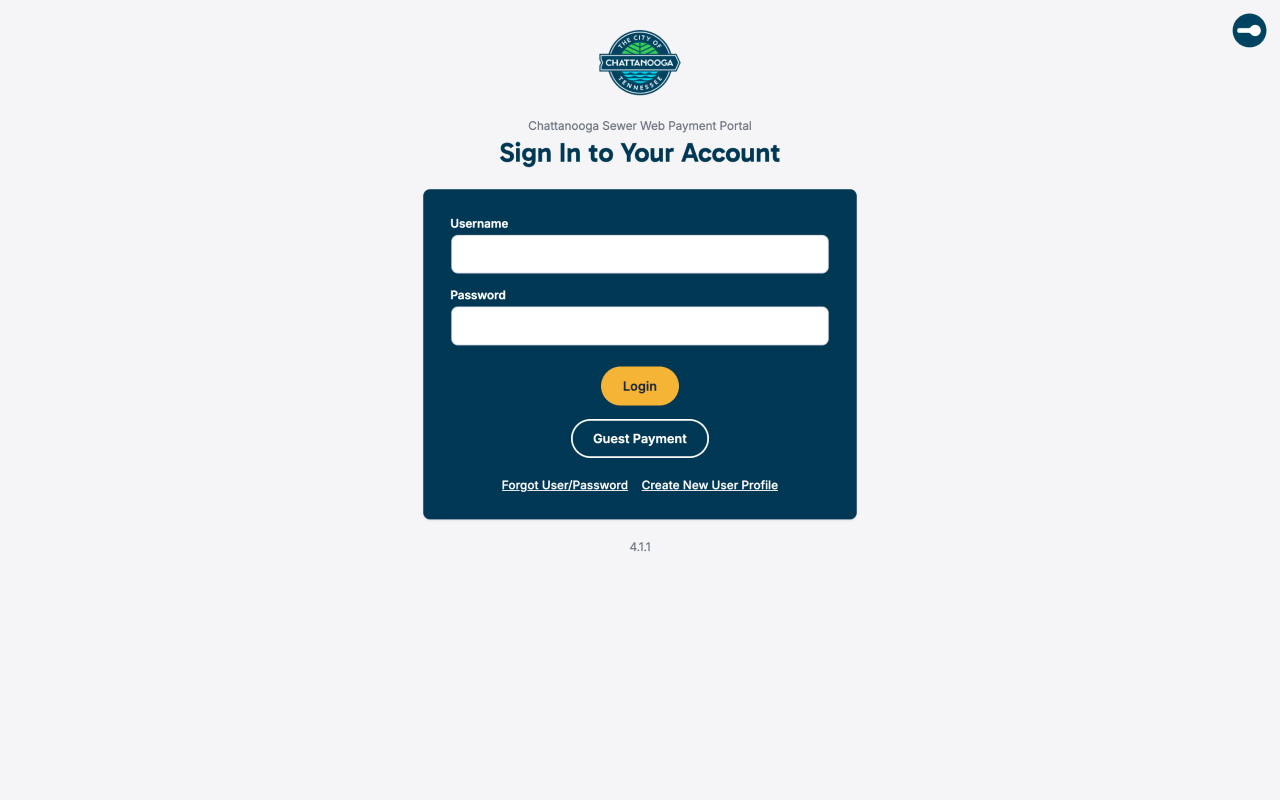
After: Clear headings, consistent fields, helpful messages, and clear next steps bring login, guest payment, password recovery, and registration together.
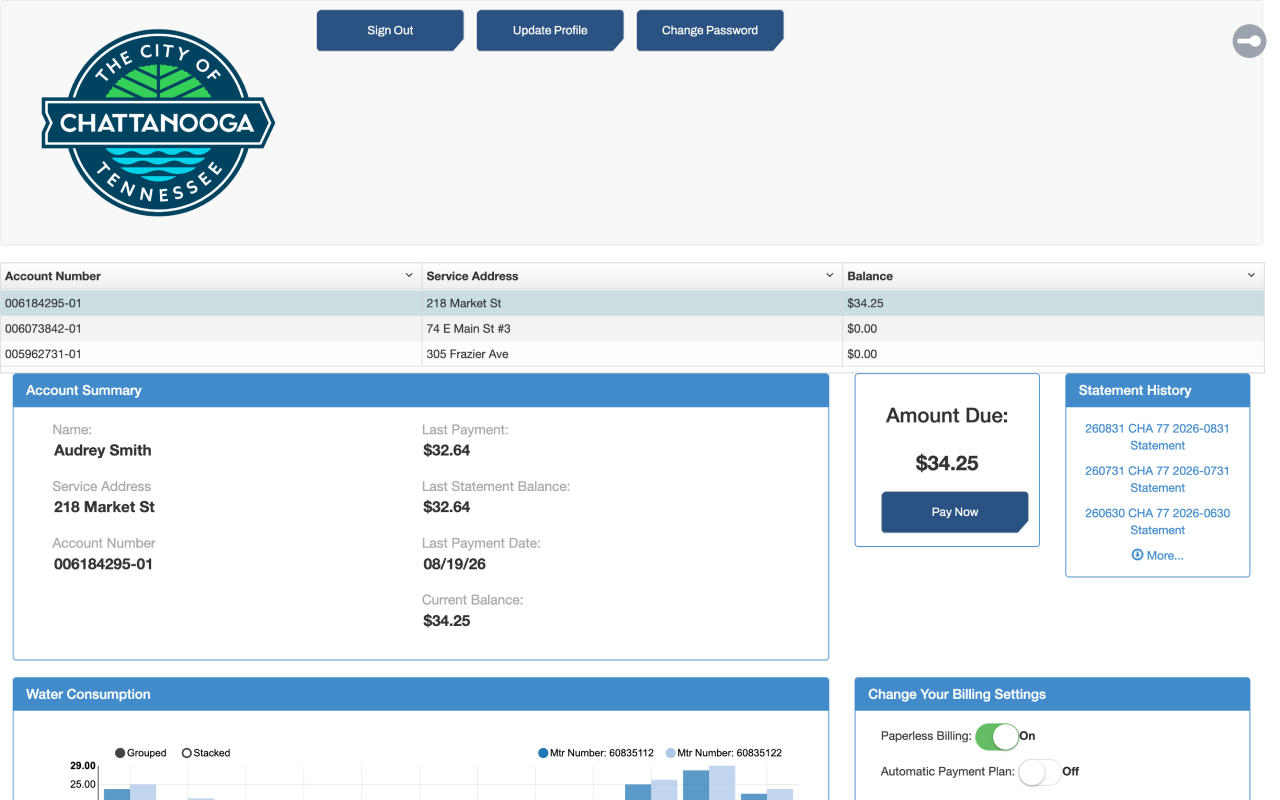
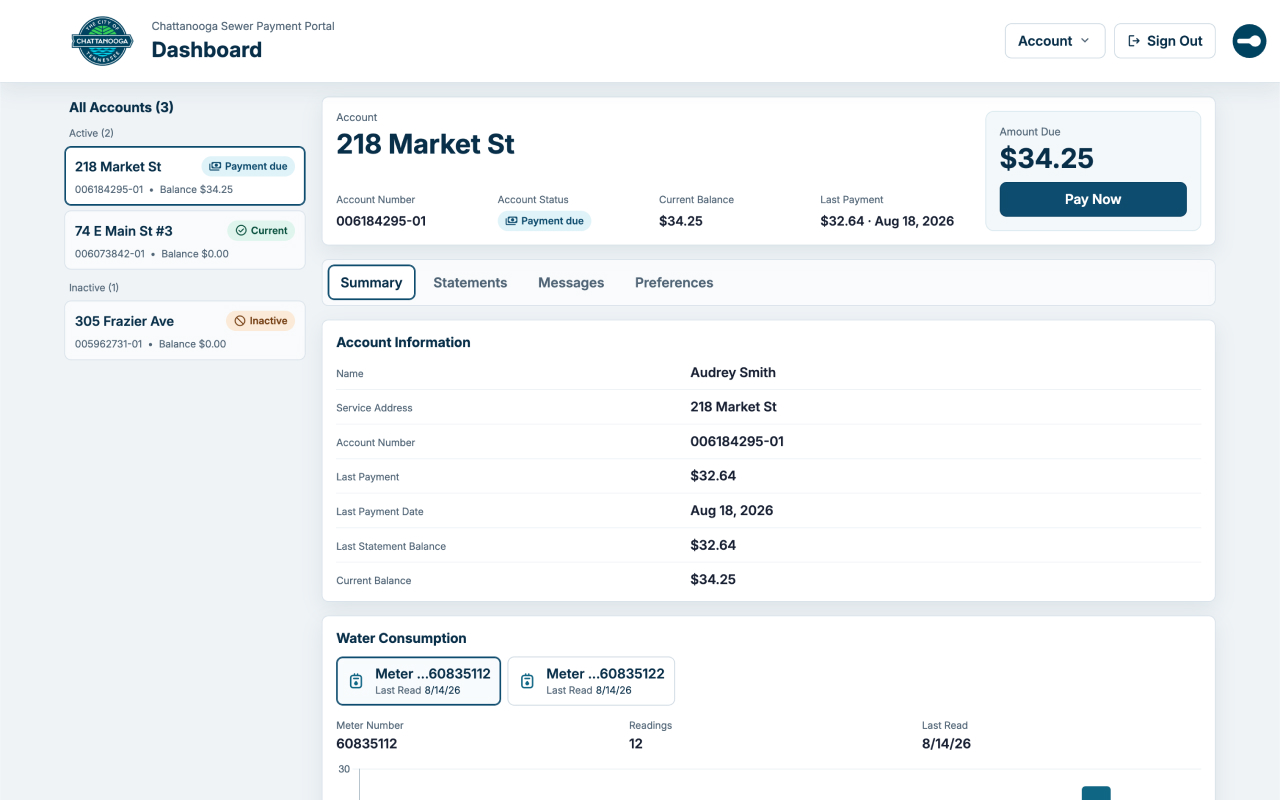
Account dashboard
Before: Account actions, balances, statements, preferences, and usage data compete for space. Account selection and status are harder to distinguish.
After: A clear header groups account actions, and a dedicated sidebar identifies the selected account and account statuses. An overview displays key account and payment information, with separate sections for the summary, statements, messages, and preferences. Improved water-use charts and a consumption table make usage easier to read.
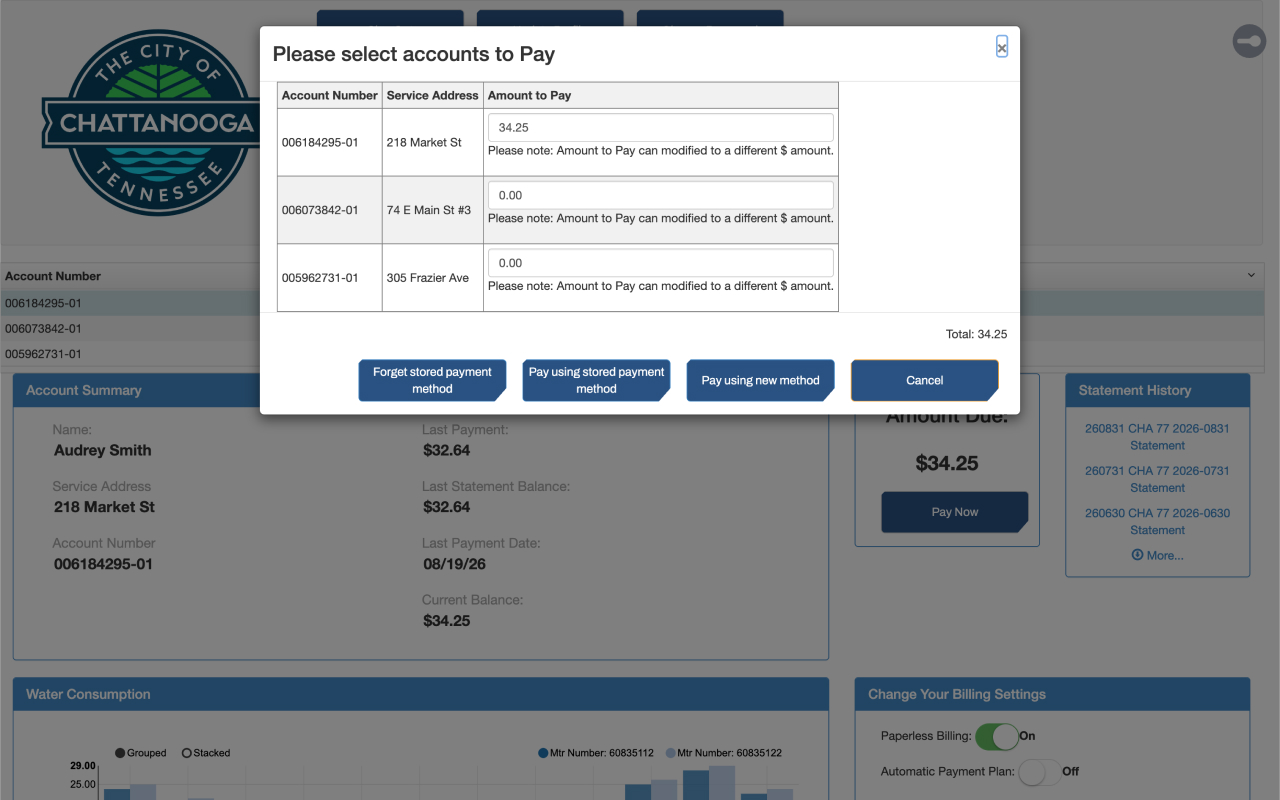
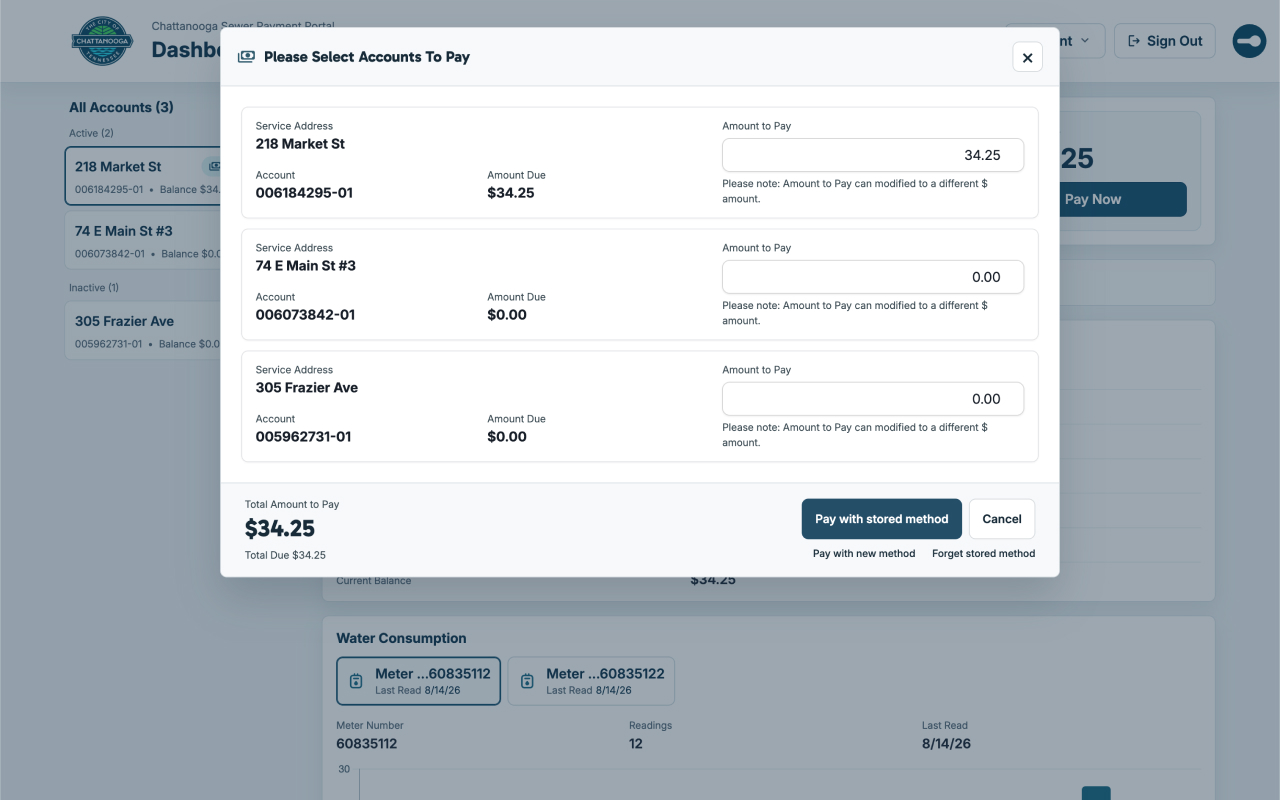
Payment and dashboard dialogs
Before: Dialog layouts and controls vary, action priorities are unclear, and the relationship between amount due and payment amount can be hard to scan.
After: Clear labels and buttons make forms easier to follow and the next step easier to find. Payment options come first, so you can quickly see what’s due and how much you’re paying, with a notice if the amounts differ.
How it works
Chatt Sewer UI reorganizes the portal pages you already use so your account information and everyday actions are easier to find. You keep using your existing account and the portal’s payment system.
After you sign in, it uses information available through your existing session to build the enhanced interface in your browser. When the dashboard needs more details, it may request them from the same portal using that session.
The extension does not process payments or replace the portal’s underlying systems. Payments and account changes still go through the existing portal, which remains the official source for your account records. Review important details before submitting changes and check the portal’s confirmation afterward.
Where it works
Chatt Sewer UI supports desktop Chrome on Chattanooga’s specific sewer portal pages. It does not support other cities or the general sewerpayments.com website. Mobile browsers, Edge, Firefox, and Safari are not currently supported.
Support for mobile browsers, Edge, Firefox, Safari, and other providers—including WWTA Hamilton County, City of Rossville, and Walker County Water & Sewerage Authority—may be considered with enough community interest and help with testing and maintenance. No expansion is promised.
Questions
Is this an official City of Chattanooga extension?
No. Chatt Sewer UI is an independent personal project. The underlying portal remains the official source for your account information and payments.
Does it send my account information to the developer?
No. The extension uses your account information in your browser and does not send it to the developer’s servers or store your portal login credentials.
Can I use it on my phone or with another sewer provider?
Not currently. It supports desktop Chrome and Chattanooga’s specific sewer portal pages only.
Can I turn it off?
Yes. Use the in-page on/off control to return to the original portal interface, or disable or remove the extension through Chrome.
What if the enhanced dashboard cannot load?
The extension may fall back to the original portal or show a warning that it needs to be disabled or reset. If needed, turn it off and continue using the original interface.
Will it keep working if the portal changes?
Portal changes may affect compatibility or make the extension unnecessary. This personal project may be updated, paused, or discontinued; continued availability is not guaranteed.
Feedback and support
Need help or have a suggestion? Visit the support page for troubleshooting, how to report a problem, and where to get help with account, billing, payment, or utility-service concerns. For account, billing, payment, or utility-service issues, contact the portal provider or Chattanooga 311.
If the extension has helped you, you can buy me a coffee to support its upkeep. Contributions are optional and do not purchase a service plan or guarantee continued availability.